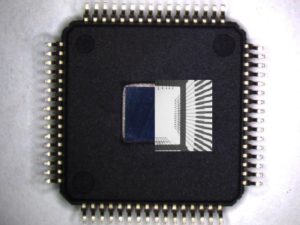
There is no ATxmega384A3. The A3 line ends at 256 KB, and it has ended there through every revision of the document that describes it. Yet the part number turns up regularly, in bills of materials, in distributor catalogues and in enquiries that reach this desk, which means it is worth explaining what people are actually looking at when they quote it.
What the A3 Line Contains
Four densities: 64 KB, 128 KB, 192 KB and 256 KB, in a 64-lead package with 50 general-purpose lines. The family listing, the ordering information and the identification table all stop at 256 KB, and the documents were updated several times without a 384 KB entry ever appearing.
The 384 KB density does exist elsewhere in the range. It appears in the A1 line, in a 100-lead package with 78 general-purpose lines, and it appears in the later C series in a 64-lead package with a USB device interface. Both of those are real devices with real datasheets. Neither is called a 384A3.
Where the Number Comes From
Four explanations cover almost every case.
The first is a transcription slip between families. A designer who knows the 384 KB part is the top of the A1 line, and who has spent the afternoon reading A3 documents, writes 384A3 without noticing. The BOM inherits it and the error survives for years because nobody orders from the BOM line by line once a product is in production.
The second is a substitution that was never formally documented. A board designed for the 256A3 ran out of room, an engineer moved up to 384 KB, and the change was recorded in a spreadsheet rather than in the schematic. The marking on the physical device says 384A1, but no one has looked at it since the prototype phase.
The third is a distributor entry keyed from a partial description. Catalogue data is built from many sources and a merged row can produce a part number that was never manufactured.
The fourth is a misread marking. Laser marking on a small package is not always crisp, and a 256 read as 384 is a common result on a board that has been in service and collected dirt.
Working Out Which Device Is Really There
The board itself usually answers the question faster than paperwork.
| What you observe | What it suggests |
|---|---|
| 64-lead package, 50 signal lines | an A3 or a C series part, not an A1 |
| 100-lead package, 78 signal lines | the A1 line, so a 384A1 is plausible |
| Flash readable past 0x3FFFF | 384 KB, since the 256A3 stops there |
| Boot loader at 0x60000 | 384A1 or another 384 KB part |
| Boot loader at 0x40000 | 256 KB device |
The address test is decisive. Read upward from the start of the array: on a 256 KB part the application area ends at 0x3FFFF and the boot loader begins at 0x40000. On a 384 KB part the application area continues to 0x5FFFF and the boot loader sits at 0x60000. Where the boot loader starts tells you the density without relying on any identification value.
The identification fields help only if you already know which family you are in. The A3 devices report 0x42 or 0x44 in the third field, while the A1 devices report 0x4C, 0x4E or 0x46. That pattern is enough to separate the two lines when the interface still answers.
Why It Matters Before a Quote
The three candidate devices are not equivalent, and the difference is not only capacity.
An A1 part has 78 general-purpose lines and two dual-channel digital to analog converters. An A3 part has 50 lines and one. A C series part adds a USB device interface that neither of the others has. A recovery quoted for one and delivered against another will not match the board the customer is holding, and in the worst case the plan is built for a package that is not on the bench.
There is also a schedule difference. The 100-lead thin quad flat package of the A1 line and the 64-lead package of the A3 line are different decapsulation targets, with different preparation and different tolerance for error during thinning. Quoting without knowing which one is involved means quoting a range rather than a price.
What to Send
Photograph the marking, not just the part reference. Two or three angles under oblique light usually resolve a doubtful digit, and the date code beside it confirms whether the device matches the age of the board.
Then send the board function and the package. If the device is still on a working board and answers an identification request, say so, because that turns an ambiguous enquiry into a two-minute answer. If it does not answer at all, note whether the board powers up, since a dead board and a locked device look similar from the outside and are entirely different jobs.
The protection levels guide explains how to tell those two situations apart, and the damaged chip FAQ covers what is still recoverable when the device is not merely locked but hurt. For the 384 KB part in the A1 line, the 384A1 copy page covers why its identification row is blank in the datasheet and how that is handled.
The Short Version
If a BOM says 384A3, the device on the board is a 384A1, a 256A3, a C series part or something else entirely, and the marking decides which. Send a photograph and the package, and the answer arrives before any work is scheduled. The engineering desk handles this kind of identification check routinely, and the frequently asked questions page covers the rest of what usually comes up before an order is placed.
Service scope and next steps
The first step on an AVR target is reading the fuse and lock byte configuration, since that tells us how the flash is protected and what is technically possible. The full scope of what we handle, how a project runs from electrical integrity test to delivered file, and the payment terms are described on our service capabilities page.
Ready to extract this AVR firmware?
Send us the part number and a short description of what you need. Free evaluation, fixed quotation, and a reply within one business day.
Leave a Reply